
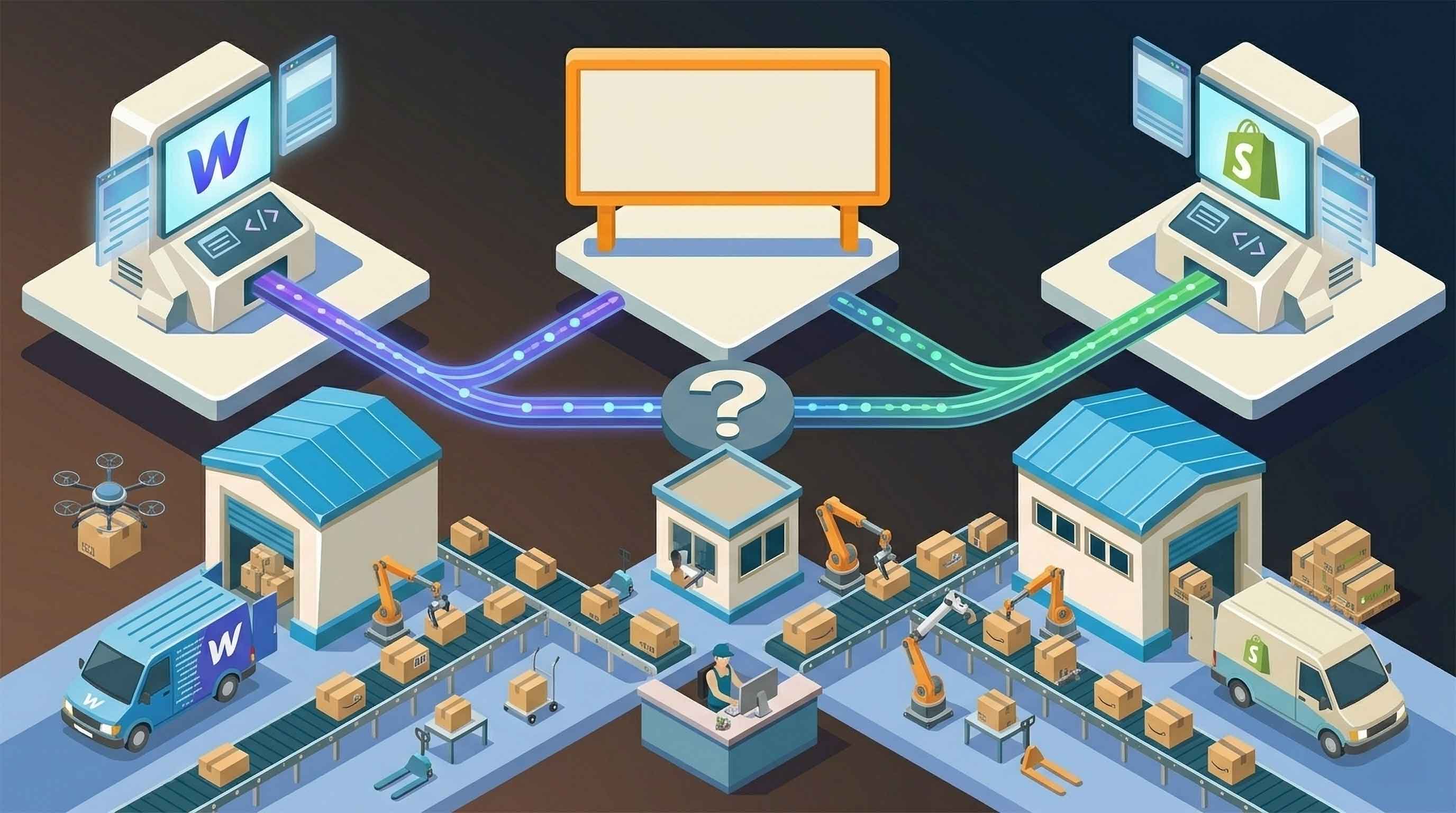


For brands selling physical products online, choosing the right ecommerce platform is one of the most important early decisions.
It affects how your store looks, how easy it is to manage products, how checkout works, how orders are processed, and how much flexibility you have as the business grows.
Two platforms that often come up in this conversation are Webflow and Shopify.
Shopify is one of the most established ecommerce platforms in the world. It is built primarily for online selling, with a large app ecosystem, strong checkout tools, and deep support for product-based businesses.
Webflow, on the other hand, is known for design freedom. It gives brands more control over the look, feel, layout, and content structure of their website. For companies that care deeply about brand presentation, storytelling, and custom design, Webflow can be extremely appealing.
So which is better for physical products?
The answer depends on what matters most to your business.
Shopify Is Built Around Commerce First
Shopify’s biggest strength is that it was designed for ecommerce from the start.
That means most of the core systems a product brand needs are already built into the platform, including:
- Product management
- Cart and checkout
- Payment processing
- Discount codes
- Shipping settings
- Order management
- Inventory tracking
- App-based extensions
For many merchants, Shopify is the obvious choice because it gives them a ready-made ecommerce backend.
If your main goal is to launch quickly, sell a large catalogue, use many ecommerce apps, or manage a high-volume store with minimal custom development, Shopify is often the safer default.
It is especially strong for brands that need:
- Advanced ecommerce features
- Large product catalogues
- Subscription apps
- Multiple sales channels
- Complex discounting
- Extensive third-party app options
The trade-off is that Shopify stores can sometimes feel more constrained from a design perspective.
While Shopify themes can be customised, many brands still find that creating a highly custom, editorial, or content-rich experience takes more effort than expected.
Webflow Is Built Around Design First
Webflow takes a different approach.
It gives brands far more visual control over the website experience. Designers and marketers can build custom layouts, landing pages, product pages, CMS content, and brand storytelling sections without being locked into a standard ecommerce template.
For physical product brands that care about how their products are presented, this is a major advantage.
Webflow is especially strong for:
- Design-led ecommerce brands
- Premium product pages
- Landing pages
- Content marketing
- Brand storytelling
- Custom CMS structures
- Small to mid-sized product catalogues
A Webflow store can feel less like a standard ecommerce site and more like a fully custom brand experience.
This matters because not every product business competes on catalogue size or price.
Some brands win through positioning, visuals, education, product storytelling, and customer trust. For those brands, the website itself is part of the sales strategy.
The Key Difference: Storefront vs Operations
The simplest way to compare Webflow and Shopify is this:
Shopify is stronger as an ecommerce operating system.
Webflow is stronger as a custom website and brand experience.
That distinction matters.
If you are building a store with hundreds of SKUs, multiple sales channels, advanced fulfilment rules, complex promotions, and a large operations team, Shopify may be the better fit.
If you are building a beautiful storefront for a focused range of physical products, and you want more control over design and content, Webflow may be the better fit.
But there is a catch.
Selling physical products is not only about the storefront.
Once a customer places an order, the business still needs to handle:
- Inventory
- Fulfilment
- Shipping
- Tracking
- Returns
- Customer notifications
- Operational accuracy
This is where Webflow stores often need additional integrations.
Where Webflow Ecommerce Works Best
Webflow Ecommerce can be a strong choice when the store is relatively focused.
For example, it can work well for:
- A brand selling a small number of premium products
- A creator selling merchandise
- A startup testing a product line
- A DTC brand with strong visual identity
- A content-led brand adding ecommerce
- A business that wants full control over product storytelling
In these cases, the ecommerce system does not need to be overly complicated.
The store may only need a clean checkout, a few product variants, basic shipping rules, and a reliable way to process orders.
Webflow is often a good fit when the marketing site and the ecommerce store need to feel like one seamless experience.
Instead of building a brand site in Webflow and a separate shop in Shopify, some businesses prefer to keep everything inside Webflow.
That can make the customer journey feel more polished and consistent.
Where Shopify Has the Advantage
Shopify usually has the advantage when the ecommerce requirements become more complex.
For example, Shopify may be a better fit if you need:
- A large product catalogue
- Advanced inventory tools
- Multi-location stock management
- International selling features
- Subscriptions
- Bundles
- Loyalty programmes
- Wholesale pricing
- A large app ecosystem
- More mature ecommerce operations
Shopify’s app marketplace is one of its biggest strengths.
If there is a common ecommerce need, there is probably a Shopify app for it. That makes Shopify flexible from an operations perspective, even if the design experience can feel more limited.
For teams that prioritise backend functionality over complete creative control, Shopify often makes more sense.
The Fulfilment Question
For physical product brands, fulfilment is one of the most important parts of the platform decision.
A beautiful website is not enough if orders are slow, manual, or error-prone.
Customers expect:
- Fast shipping
- Accurate tracking
- Clear communication
- Reliable delivery times
- Simple post-purchase updates
This is where Webflow brands need to think carefully.
Webflow can manage ecommerce orders, but the fulfilment workflow usually needs to connect with external tools if the brand wants to scale efficiently.
Without automation, teams may end up manually exporting orders, copying customer details, updating tracking numbers, or sending fulfilment requests by hand.
That may work for a few orders a week.
It will not work well at scale.
When Webflow Needs a Fulfilment Integration
A Webflow store should consider fulfilment automation once manual fulfilment starts slowing the business down.
Common signs include:
- Orders are being copied into another system manually
- Tracking numbers are being updated by hand
- Customers are asking where their orders are
- Inventory is difficult to monitor
- The team is spending too much time on admin
- Orders are delayed because of manual processes
At that stage, the question is not whether Webflow is good enough.
The question is whether the right systems are connected around it.
For many businesses, Webflow can remain the storefront while fulfilment is handled by a dedicated logistics provider or fulfilment network.
That is where solutions like Amazon Multi-Channel Fulfillment can become useful.
Using Webflow With Amazon MCF
Amazon Multi-Channel Fulfillment allows ecommerce brands to use Amazon’s fulfilment network to ship orders from non-Amazon sales channels.
For a Webflow store, this can be a powerful option.
Instead of using Webflow as the entire operations backend, the store can act as the customer-facing storefront while Amazon MCF handles fulfilment.
The key is the integration layer.
Orders need to move from Webflow to Amazon MCF accurately and automatically. Tracking information also needs to flow back to the store or customer.
Without that connection, the workflow can become manual.
With the right connection, a Webflow store can offer a better operational experience while keeping the design flexibility that made Webflow attractive in the first place.
Which Platform Should You Choose?
Choose Shopify if your priority is ecommerce infrastructure.
Shopify is likely the better choice if you need advanced ecommerce functionality, a large app ecosystem, or complex operational workflows from day one.
Choose Webflow if your priority is brand experience.
Webflow is likely the better choice if design, storytelling, landing pages, and content are central to how your products sell.
But the best answer is not always “Webflow or Shopify.”
For some brands, the better question is:
Can Webflow handle the storefront while another system handles fulfilment?
In many cases, yes.
A Webflow store with the right fulfilment integration can give brands the best of both worlds: a highly custom customer experience and a more automated backend.
Final Thoughts
Webflow and Shopify are not trying to solve ecommerce in exactly the same way.
Shopify is commerce-first.
Webflow is design-first.
For physical product brands, the right choice depends on how much weight you place on storefront flexibility versus built-in ecommerce infrastructure.
If your brand needs a beautiful, custom, content-rich ecommerce experience, Webflow can be a strong choice. But if you are selling physical products, you need to plan for fulfilment from the beginning.
That means thinking beyond the website and making sure orders, inventory, shipping, and tracking are connected properly.
For Webflow brands using Amazon Multi-Channel Fulfillment, MCF Connect helps bridge that gap by connecting Webflow orders to Amazon MCF, reducing manual work and helping stores fulfil orders more efficiently.