
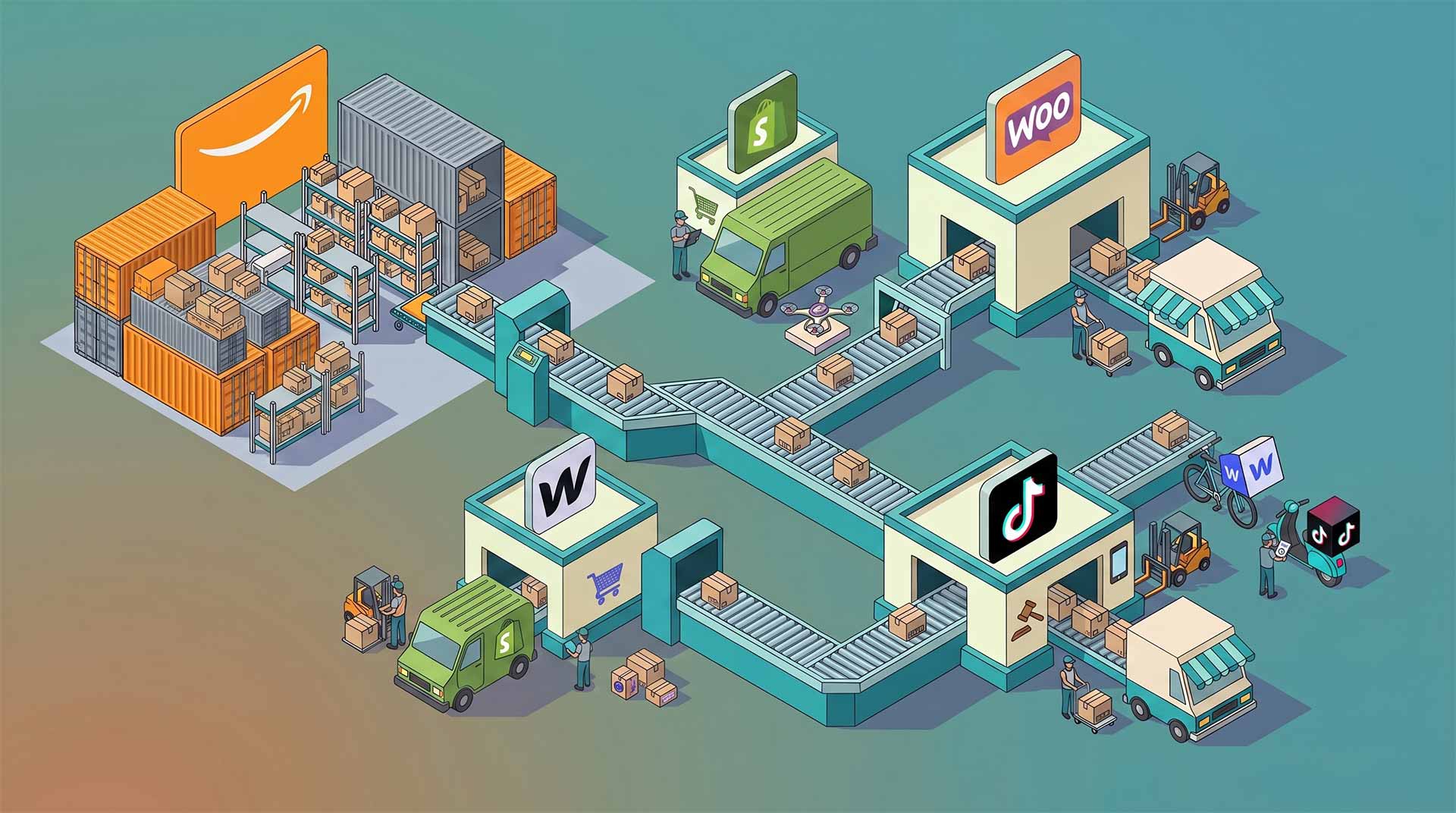


One of the biggest advantages of selling through Amazon is the fulfillment network behind it. Products can be stored, picked, packed, shipped, and delivered without you touching every order yourself.
What many sellers miss is that this network is not only for Amazon marketplace orders.
With Amazon Multi-Channel Fulfillment, often shortened to Amazon MCF, you can use inventory stored in Amazon fulfillment centers to ship orders from other sales channels too. That can include your own ecommerce site, marketplaces, and social channels such as Shopify, WooCommerce, Webflow, TikTok Shop, eBay, Walmart, and more, depending on your setup and region. Amazon lists ecommerce, marketplace, social commerce, inventory management, and order management integrations for MCF, including TikTok Shop and eBay-related options.
For growing ecommerce brands, that is a big deal. It means you do not always need to split inventory across Amazon, a 3PL, your garage, and your website. In many cases, you can keep stock in one place and fulfill orders from several different storefronts.
Here is how it works.
What is Amazon MCF?
Amazon Multi-Channel Fulfillment is Amazon’s fulfillment service for orders placed outside Amazon.
A customer buys from your website, marketplace listing, or social commerce store. The order is then sent to Amazon MCF. Amazon picks the item from your stored inventory, packs it, ships it, and provides tracking.
Amazon describes MCF as a way to fulfill orders across multiple sales channels and says its U.S. service offers Standard delivery in 3 business days and Expedited delivery in 2 business days.
The key point is simple:
Amazon marketplace order = fulfilled through FBA.
Off-Amazon order = fulfilled through MCF.
The inventory may be in the same Amazon network, but the order source is different.
Why use FBA inventory for non-Amazon orders?
The biggest reason is operational simplicity.
Instead of sending 500 units to Amazon, 300 units to a third-party warehouse, and keeping 100 units for manual orders, you can centralize stock and let Amazon handle fulfillment for multiple channels.
That can help with:
- Reducing manual packing and shipping
- Avoiding duplicated inventory across warehouses
- Launching new sales channels faster
- Keeping fulfillment consistent across stores
- Reducing the need for a separate 3PL
- Offering faster delivery on off-Amazon orders
This is especially useful for brands that already sell well on Amazon but want to grow beyond it. Your Shopify store, WooCommerce store, Webflow site, TikTok Shop, or eBay listings should not feel like an operational headache just because they are not Amazon orders.
Which sales channels can use Amazon MCF?
The exact setup depends on your ecommerce platform, integration, and country, but MCF is commonly used for:
Shopify
Shopify sellers often use MCF to fulfill DTC website orders with inventory already stored by Amazon. Amazon has published guidance on integrating Shopify websites with MCF.
WooCommerce
WooCommerce stores can use MCF through third-party tools, custom integrations, or middleware that sends order data from WordPress/WooCommerce to Amazon.
Webflow
Webflow merchants typically need a dedicated integration or custom workflow, because Webflow does not have the same native fulfillment ecosystem as Shopify. This is where tools like MCF Connect are especially useful.
TikTok Shop
Amazon identifies MCF as a supported fulfillment solution for TikTok Shop and provides guidance for connecting MCF to TikTok Shop, including logistics and returns setup.
eBay and marketplaces
Marketplace sellers can use MCF to ship orders from platforms outside Amazon, provided the order data can be sent into Amazon correctly and the marketplace’s fulfillment requirements are met.
Custom websites and headless stores
If your store is custom-built, MCF can still work through API-based fulfillment, middleware, or order automation tools.
How the fulfillment flow works
Most MCF setups follow the same basic process.
First, your inventory is sent to Amazon and becomes available in the fulfillment network.
Next, a customer places an order on a non-Amazon channel, such as your WooCommerce store or TikTok Shop.
Then, that order is sent to Amazon MCF. This can happen manually, through an app, through an API, or through a connector.
Amazon then picks, packs, and ships the item.
Finally, tracking details are sent back to your store or order management system, so the customer can see where their package is.
The entire process should feel invisible to the customer. They do not need to know that Amazon fulfilled the order unless your setup exposes that information.
What you need before using MCF
Before you connect everything, make sure the basics are in place.
You need products stored with Amazon and available for fulfillment. Your SKUs need to be clear, consistent, and mapped properly between your sales channel and Amazon. Your store also needs a way to send shipping name, address, product SKU, quantity, and shipping speed to MCF.
Most issues with MCF are not caused by Amazon’s warehouse. They are caused by messy data.
The most common problems are:
- SKU mismatch between the website and Amazon
- Product is listed online but not available in Amazon inventory
- Shipping address is incomplete
- Wrong shipping speed is passed through
- Tracking is not sent back to the store
- Orders are not automatically marked as fulfilled
Before scaling, test with a few real orders. Make sure the order is received, fulfilled, tracked, and completed correctly.
Should you use MCF for every channel?
Not always.
MCF is a strong fit when you already store inventory with Amazon and want a clean way to fulfill non-Amazon orders. It is especially useful when speed and simplicity matter more than highly customized packaging.
It may not be the best fit if you need very specific branded packaging, handwritten notes, complex kitting, temperature control, or unusual shipping rules.
Amazon says unbranded packaging is the default for MCF orders, except where it could affect shipping or delivery times. That is useful for many DTC brands, but it still may not give you the same level of packaging control as a boutique 3PL.
The right question is not “Is MCF better than a 3PL?”
The better question is:
Which orders should be fulfilled by Amazon, and which need a more custom workflow?
For many brands, the answer is a hybrid setup.
Best practice: build one fulfillment hub
If you sell on multiple channels, do not treat each one as a separate business.
Your Shopify, WooCommerce, Webflow, TikTok Shop, eBay, and Amazon orders should all feed into a clean fulfillment system. That means consistent SKUs, accurate stock levels, clear order routing, and reliable tracking updates.
This is where many merchants get stuck. They can make MCF work manually, but manual fulfillment does not scale.
A better setup is:
Customer orders from any channel.
Order is automatically sent to MCF.
Amazon ships the order.
Tracking is returned to the original store.
Customer receives updates.
Your team only steps in when something needs attention.
That is the point of MCF: not just cheaper shipping or faster delivery, but fewer operational bottlenecks.
Final thoughts
If your products are already in Amazon fulfillment centers, MCF can be one of the simplest ways to expand beyond Amazon without rebuilding your entire logistics operation.
It lets you test new channels, support your own ecommerce store, and fulfill marketplace orders from existing stock.
The important part is the setup. Your SKUs, integrations, tracking flow, and inventory rules need to be clean from the beginning. Once those pieces are in place, MCF can give your off-Amazon sales channels the same kind of fulfillment engine that helped you grow on Amazon in the first place.