
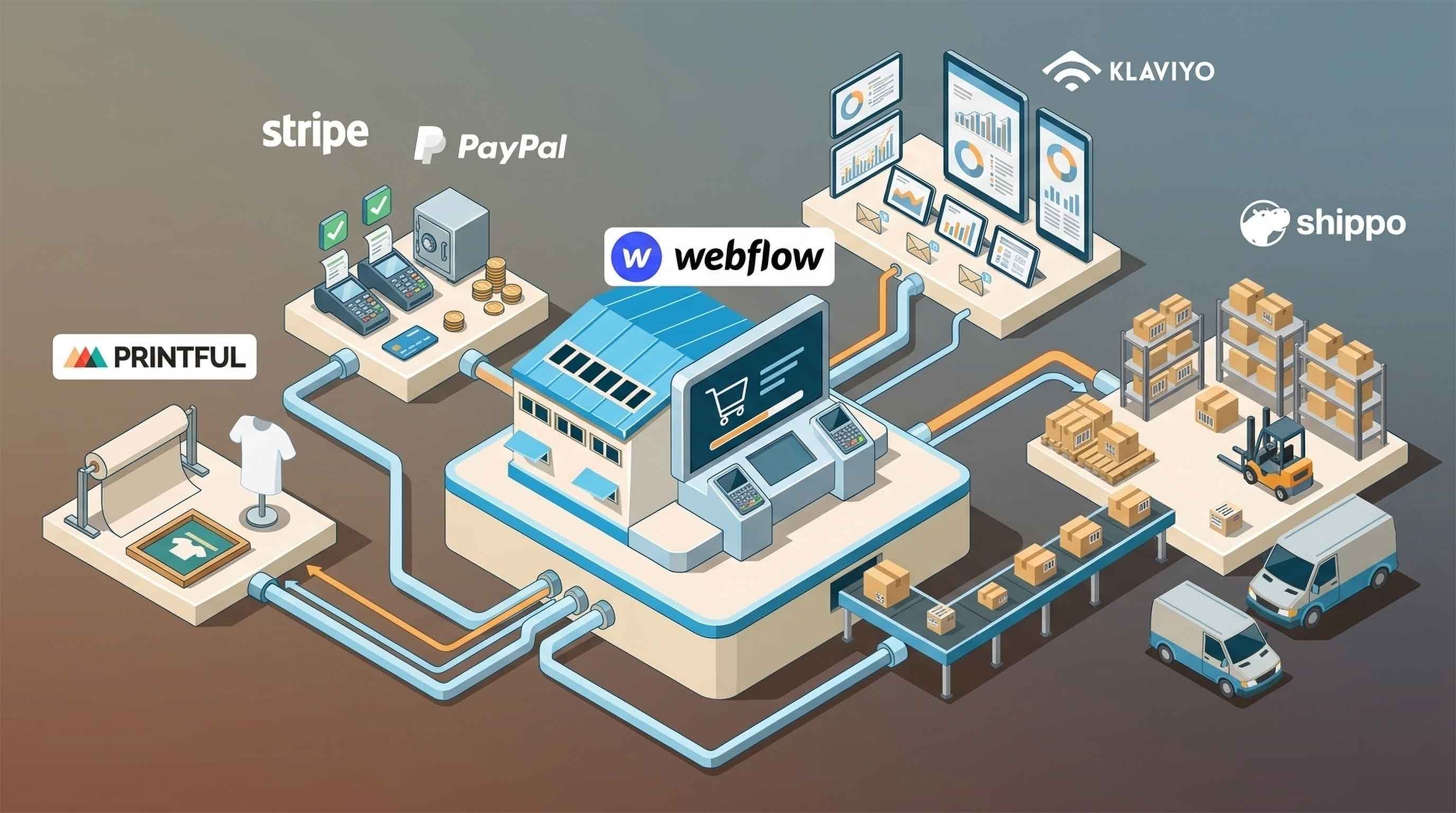


Webflow gives ecommerce brands a powerful way to design and launch custom online stores.
For many businesses, that is the main reason to choose it.
The website can look exactly how the brand wants. Product pages can be more flexible. Landing pages can be more creative. Content and ecommerce can work together in a way that feels polished and intentional.
But as a store grows, the website itself is only one part of the system.
A growing ecommerce business also needs tools for:
- Fulfilment
- Shipping
- Inventory
- Email marketing
- Analytics
- Customer support
- Reviews
- Automation
- Payments
- Returns
This is where integrations become important.
The right Webflow Ecommerce integrations can help turn a good-looking storefront into a more complete ecommerce operation.
Why Webflow Stores Need Integrations
Webflow is strongest as a custom website and storefront platform.
It is excellent for design, content, product presentation, and brand control.
But ecommerce operations usually require a broader stack.
That is not unusual.
Even stores built on platforms like Shopify often rely on third-party apps for email, fulfilment, reviews, analytics, subscriptions, and support.
The key is choosing integrations carefully.
Too few integrations can leave the team doing manual work.
Too many integrations can make the store slow, messy, or hard to manage.
A growing Webflow store should focus on tools that solve real operational problems.
1. Fulfilment Integration
For physical product brands, fulfilment should be one of the first things to solve.
Once an order is placed, the customer expects the product to arrive quickly and reliably.
That means the store needs a fulfilment process that can handle:
- Order routing
- Picking and packing
- Shipping
- Tracking
- Delivery updates
- Exceptions
- Returns
If fulfilment is handled manually, growth becomes harder.
Someone may need to copy orders into another system, email a warehouse, upload spreadsheets, or manually send tracking links.
This creates delays and increases the chance of mistakes.
A fulfilment integration helps orders move automatically from Webflow to the fulfilment provider.
For brands using Amazon Multi-Channel Fulfillment, MCF Connect is designed to connect Webflow orders with Amazon MCF.
This allows the store to keep Webflow as the customer-facing storefront while using Amazon’s fulfilment network behind the scenes.
2. Shipping Integration
Shipping is closely related to fulfilment, but it deserves its own category.
Some stores need a shipping platform to help with labels, carrier rates, tracking, and fulfilment workflows.
A shipping integration can help with:
- Printing shipping labels
- Comparing carrier rates
- Managing shipping rules
- Sending tracking updates
- Handling multiple carriers
- Improving delivery visibility
ShipStation is one example of a shipping platform that integrates with Webflow.
For stores that fulfil orders themselves or use multiple carriers, this kind of integration can reduce manual work and make shipping more consistent.
The right shipping setup depends on how the store fulfils orders.
A brand shipping from its own office or warehouse may need label printing and carrier tools.
A brand using Amazon MCF may need a direct fulfilment connection instead.
3. Email Marketing Integration
Email is one of the most important channels for ecommerce growth.
A Webflow store should usually have an email marketing tool connected from the beginning.
Email can support:
- Welcome flows
- Abandoned cart reminders
- Post-purchase emails
- Product education
- Launch campaigns
- Repeat purchases
- Customer win-back flows
For physical product brands, email is especially useful because not every customer buys on the first visit.
Some customers need more information before purchasing.
Others may want to compare products, read reviews, or wait for the right timing.
An email integration helps capture that demand and bring customers back.
Popular options may include tools like Klaviyo, Mailchimp, or other ecommerce-friendly email platforms.
The best choice depends on how advanced your segmentation and automation needs are.
4. Analytics Integration
A Webflow Ecommerce store should not rely on guesswork.
Analytics tools help store owners understand what is working and what needs improvement.
At a basic level, a store should track:
- Traffic sources
- Product page views
- Add-to-cart actions
- Checkout behaviour
- Conversion rate
- Revenue
- Popular products
- Returning customers
Without analytics, it is hard to know whether the problem is traffic, conversion, checkout, fulfilment, or retention.
Google Analytics is commonly used for general website tracking.
Other analytics tools may be needed for deeper ecommerce reporting, heatmaps, session recordings, or attribution.
For growing stores, analytics should answer practical questions.
Which campaigns are driving sales?
Which product pages are converting?
Where are customers dropping off?
Which channels bring the best customers?
The answers help the business make better decisions.
5. Reviews Integration
Customer reviews are important for ecommerce trust.
This is especially true for new or growing brands that do not yet have broad name recognition.
Reviews can help customers feel more confident by showing that other people have bought and used the product.
A reviews integration can help collect and display:
- Product reviews
- Star ratings
- Customer photos
- Testimonials
- Post-purchase review requests
For Webflow stores, reviews may require a third-party tool or custom setup depending on the desired design and functionality.
The most important thing is to place reviews where they support buying decisions.
That usually means product pages, landing pages, and key conversion sections.
Reviews should feel integrated into the design rather than added as an afterthought.
6. Customer Support Integration
As order volume grows, customer support becomes more important.
Customers may ask about:
- Shipping times
- Tracking links
- Returns
- Product details
- Sizing
- Order changes
- Delivery issues
At first, a shared inbox may be enough.
But as the store grows, a customer support platform can help organise conversations and reduce response times.
Support integrations may include:
- Helpdesk software
- Live chat
- Contact forms
- FAQ tools
- Order lookup features
For physical product brands, support and fulfilment are closely connected.
If tracking information is delayed or unclear, support tickets increase.
That is another reason fulfilment automation matters.
A good ecommerce stack should reduce avoidable support issues, not just manage them after they happen.
7. Automation Integration
Automation tools can be useful when Webflow needs to connect with other systems.
Platforms like Zapier, Make, or similar tools can help move data between apps without building a full custom integration.
Automation can be useful for:
- Sending order data to another tool
- Creating internal notifications
- Updating spreadsheets
- Triggering emails
- Connecting CRM records
- Passing form submissions to sales tools
However, automation tools should be used carefully.
They are useful for lightweight workflows, but they may not be the best solution for mission-critical fulfilment.
If an automation fails, delays, or sends incomplete order data, the customer experience can suffer.
For important processes like fulfilment, a dedicated integration is usually safer.
8. Payment Integration
Payment setup is one of the core parts of any ecommerce store.
Customers expect checkout to be simple, secure, and familiar.
A poor payment experience can hurt conversion even if the rest of the site is strong.
A Webflow store should make sure its payment setup supports the needs of the business and customers.
This may include:
- Card payments
- Express checkout options
- Regional payment preferences
- Clear checkout design
- Reliable transaction handling
Payment is not usually the most exciting part of ecommerce, but it is one of the most important.
If customers do not trust the checkout experience, they may leave before completing the order.
9. Inventory Integration
Inventory becomes more important as a store grows.
A simple store with a few SKUs may be able to manage stock manually.
But once the business sells across multiple channels or fulfilment locations, inventory needs to stay accurate.
Inventory issues can lead to:
- Overselling
- Cancelled orders
- Customer frustration
- Support tickets
- Poor fulfilment planning
An inventory integration can help keep stock levels aligned across systems.
This is especially useful when products are sold through Webflow and other channels at the same time.
For brands using Amazon MCF, inventory planning should also account for stock stored within Amazon’s fulfilment network.
The goal is simple: customers should not be able to buy products that cannot be fulfilled.
10. Returns Integration
Returns are often overlooked until they become a problem.
A clear returns process helps customers feel more confident before buying and reduces friction after purchase.
A returns integration may help with:
- Return requests
- Return labels
- Return status updates
- Refund workflows
- Customer communication
Not every small store needs a dedicated returns platform immediately.
But every store should have a clear returns policy and a simple way for customers to request help.
As order volume grows, returns should become part of the ecommerce system rather than a manual side process.
How to Choose the Right Integrations
The best Webflow Ecommerce integrations depend on the stage of the store.
A new store may only need:
- Payments
- Email marketing
- Basic analytics
- Simple fulfilment
A growing store may need:
- Automated fulfilment
- Shipping workflows
- Reviews
- Customer support
- Inventory syncing
- Better reporting
A more mature store may need:
- Multi-channel inventory
- Advanced analytics
- Returns management
- CRM workflows
- Custom integrations
The key is to solve problems in the right order.
For physical product brands, fulfilment usually comes before advanced marketing tools.
There is little point driving more traffic if the store cannot reliably ship orders.
The Best Webflow Ecommerce Stack for Physical Products
For many physical product brands, a strong Webflow ecommerce stack might look like this:
- Webflow for the storefront
- MCF Connect for Amazon MCF fulfilment
- Email marketing for retention
- Analytics for performance tracking
- Reviews for trust
- Customer support software for service
- Automation tools for lightweight internal workflows
This setup allows Webflow to do what it does best while specialised tools handle the ecommerce operations around it.
The result is a cleaner, more scalable system.
Final Thoughts
Webflow Ecommerce can be a strong platform for brands that care about design, content, and customer experience.
But as a store grows, integrations become essential.
The right integrations help Webflow stores manage fulfilment, shipping, inventory, email, analytics, reviews, and support without turning every process into manual work.
For physical product brands, fulfilment should be one of the first areas to automate.
If you are using Webflow and want to fulfil orders through Amazon Multi-Channel Fulfillment, MCF Connect helps connect your Webflow store to Amazon MCF so orders can move more smoothly from checkout to delivery.